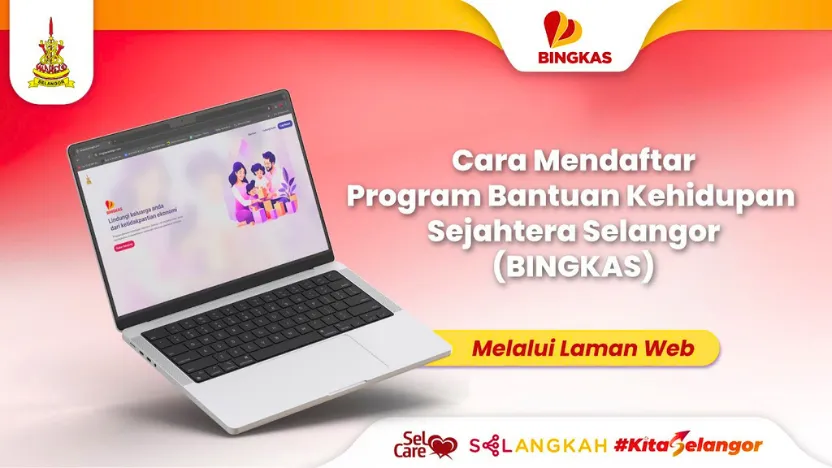
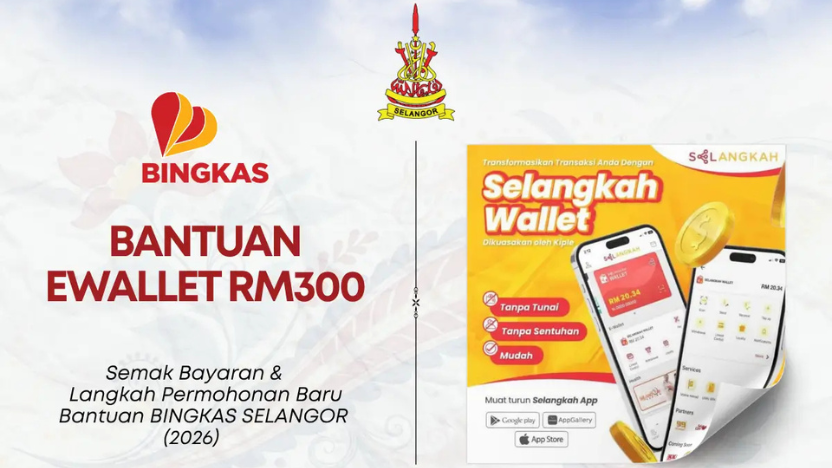
BINGKAS Selangor provides eligible families with RM300 in monthly assistance for 24 months, giving a total of RM7,200 per family.
The assistance is credited through the BINGKAS Wallet in the SELangkah application and is intended for essential household needs, including groceries, medicines and school-related expenses. Here is a step-by-step guide to understanding the assistance, checking your eligibility and submitting an application.
What is BINGKAS Selangor?
BINGKAS, or Selangor Well-Being Assistance, is a financial assistance programme by the Selangor State Government. Eligible recipients receive:
- RM300 per month
- Assistance for 24 months
- RM7,200 in total assistance
The money is not given as physical cash. Instead, it is credited to the recipient's BINGKAS Wallet through the SELangkah application. The programme is designed to help families with everyday necessities such as kitchen essentials, medicines and school-related expenses.
Unlike the previous KISS programme, BINGKAS is also open to heads of families, including fathers and guardians.
Who is eligible to apply?
Before starting an application, applicants should make sure they meet the main eligibility requirements. You must:
1. Be a Malaysian citizen.
2. Have a total gross household income of RM5,000 or below per month.
3. Be a registered voter in Selangor.
4. Have at least two children or legal dependants below the age of 18.
5. Have been born in Selangor or have legally resided in Selangor for more than 10 years.
The household income requirement is based on gross monthly household income, rather than simply the applicant's individual salary.
How long is the application period?
Applicants should pay close attention to the intake period. According to the information provided, each new registration phase is open for only one month from the date it begins. New intake sessions may be opened according to a quarterly schedule when there is an available quota. Incomplete or old applications that have not been reviewed may be removed from the system, meaning applicants may need to submit a new application. To avoid this, make sure all required documents are uploaded before the relevant application deadline.
What documents do you need?
It is advisable to prepare all your documents digitally before starting the application. The documents should be uploaded as clear PDF files or clear photographs. Personal documents that you may need:
- Copy of your MyKad
- Copy of your spouse's MyKad
- Marriage certificate
- Divorce certificate, where applicable
- Death certificate of spouse, where applicable for single-parent status
Documents for children or dependants. You may need:
- MyKad or MyKid for each child
- Birth certificate or adoption certificate
- OKU card from the Social Welfare Department, if applicable
- Court custody documents, where applicable
Proof of household income
Depending on your circumstances, supporting documents may include:
- Latest payslip for you and your spouse
- Latest EA statement or EPF summary statement
- Latest pension statement for government retirees
- Income verification form certified by an appropriate community leader if you are self-employed, a small trader or unemployed
Make sure the documents are clear and complete. Unclear or incomplete documentation may affect the application process.
How to apply for BINGKAS?
The application is made online through the BINGKAS Selangor portal or through the SELangkah application. No physical application form is provided for this registration process. Follow these steps:
Step 1: Log in
Visit the BINGKAS Selangor portal and select “Login”.
Use your existing SELangkah account.
If you do not have an account, register using your identity card number.
Step 2: Create your application
Once logged in, select “Create Application” to begin filling out the digital application form.
Step 3: Enter your personal details
Provide the required information, including:
- Full name
- Current residential address
- DUN constituency
- Length of residence in Selangor
- Submit the information once completed.
Step 4: Provide income information
Enter your current employment details and total gross monthly household income. Make sure the information matches your supporting documents.
Step 5: Add your children or dependants
Select “Add Child” and enter the required details of each child or dependant below 18 years old.
Step 6: Select the assistance category
Choose the relevant assistance programme and submit the information.
Step 7: Upload your documents
Upload the required supporting documents, such as:
- MyKad
- Latest payslip
- Child's birth certificate
Check that every document is clear before submitting.
Step 8: Confirm your information
Read the declaration carefully and tick the consent box confirming that the information provided is accurate.
Then submit the application.
Step 9: Activate your SELangkah Wallet
After submitting the application, download the SELangkah application if you have not already done so.
Activate the SELangkah Wallet so that the BINGKAS assistance can be credited if your application is approved.
How long does approval take?
The processing and screening period usually takes between 30 and 45 working days. The approval decision is subject to the relevant DUN Service Centre. During the document review process, officers will check the supporting documents. If a document is unclear or incomplete, the application may be marked “Query”, allowing the applicant to re-upload the required document. Applicants can receive a Pass, Fail or Save notification through their registered email or check the status through the SELangkah application.
When will the RM300 be credited?
Once an application has been approved, the first RM300 assistance is credited to the BINGKAS Wallet on the first day of the following month. The assistance is credited monthly rather than being given as a lump sum.
What can you use BINGKAS for?
BINGKAS is intended for approved essential purchases at registered panel shops. Examples include:
- Rice
- Cooking oil
- Flour
- Medicines
- Children's school supplies
- Other approved basic necessities
The assistance cannot simply be withdrawn as cash. Instead, purchases are made through the BINGKAS Wallet using the SELangkah application and a QR code at participating outlets.
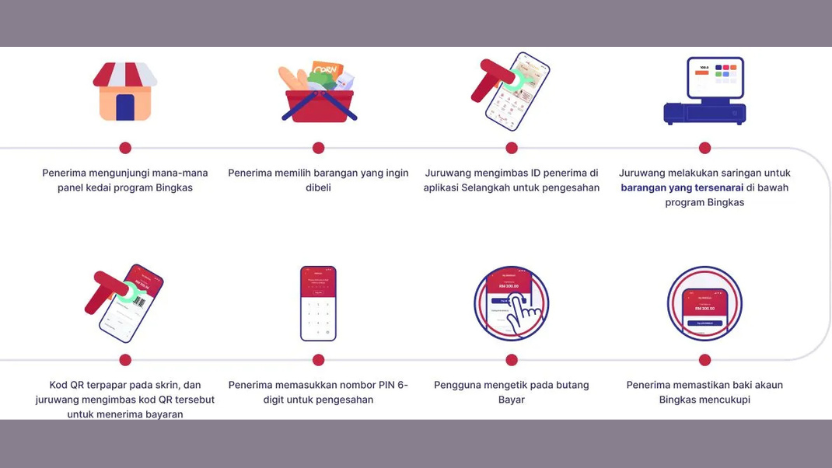
How do you pay using BINGKAS?
At a participating shop:
1. Look for a registered BINGKAS panel shop.
2. Select the approved items you wish to purchase.
3. Open the SELangkah application.
4. Select the BINGKAS Wallet.
5. Scan the QR code provided by the cashier.
6. Enter your six-digit PIN to confirm the transaction.
The amount spent will be deducted from your BINGKAS Wallet in real time. It is advisable to check your remaining monthly balance before shopping to avoid payment issues.
Important: Unused monthly balance does not carry forward
One important condition to remember is that BINGKAS operates on a monthly allocation. If you do not use the full RM300 during the month, the unused balance will expire and will not be carried over to the following month.
For this reason, eligible recipients should monitor their monthly balance and use the assistance for permitted household necessities.
What should you do before applying?
To make the application process smoother:
1. Check that your household income is RM5,000 or below.
2. Confirm that you meet the citizenship, voter, dependent and Selangor residency requirements.
3. Prepare digital copies of all required documents.
4. Make sure your documents are clear and readable.
5. Check that your household and children's information is accurate.
6. Submit the application before the intake period closes.
7. Activate your SELangkah Wallet.
8. Regularly check your application status and email for any queries.
The most important thing is to ensure that your information and supporting documents are complete before submitting the application, as incomplete applications may face delays or require additional action.
Source / Image Credit : MauKerja , BINGKAS Selangor , Berita Online
You may be interested in

Indian Wedding Forehead Netti Pattam & Hand Wrist Pattam Gold Plated Traditional Bridal Ceremony Set
Bollywood Style 1 Pair Of Earrings + 1 Necklace Vintage Jewelry Set Retro Design Inlaid Gemstone Match Daily Outfits Party Accessories
Ethnic Retro Corful Peacock Jhumka Earrings Womens Indian Jewelry Flower Gold Bell Tassel White Pearl Earrings
Ready stock lotus design indian saree